
Look at the ledger and chart of accounts

See every entry in an account, and the accounts you use.
Where
Accounting › Ledger, and Accounting › Chart of Accounts
Who can do this
The owner, accountants and viewers.
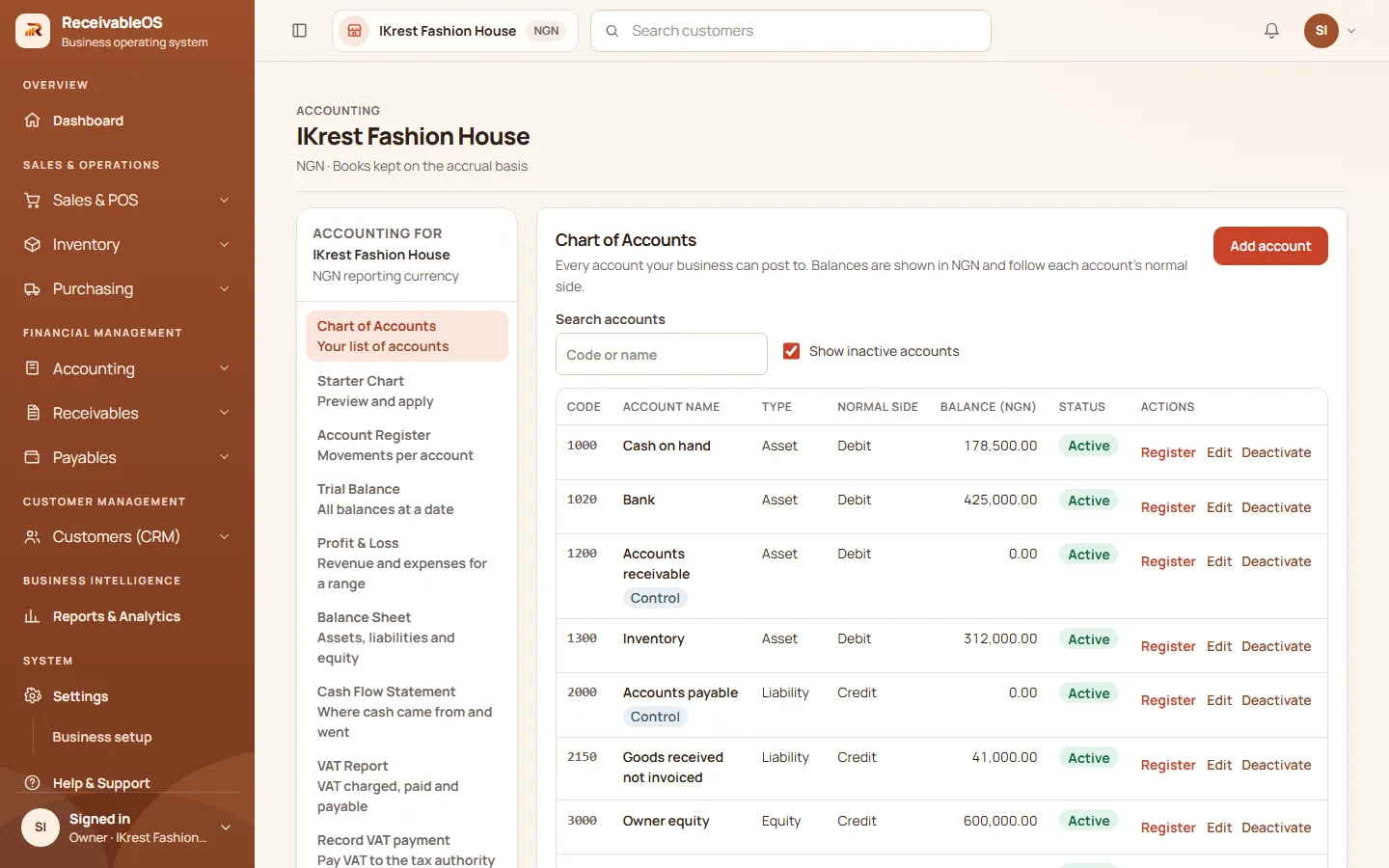
The Chart of Accounts grouped by account type.
The real screen, shown with example data.

Steps

  1. Open Chart of Accounts to see your accounts, grouped by type.
  2. Open Ledger, pick an account and choose “Show register” to see every entry in it.
  3. Choose “See entries” to see what a transaction posted.

Still need help?

Signed in? Use Help & Support in your workspace. Or ask us directly: WhatsApp is the quickest.